Product Overview
Hide Fields for Virtual Products in WooCommerce is a practical WordPress plugin that allows you to easily customize your store’s checkout form.
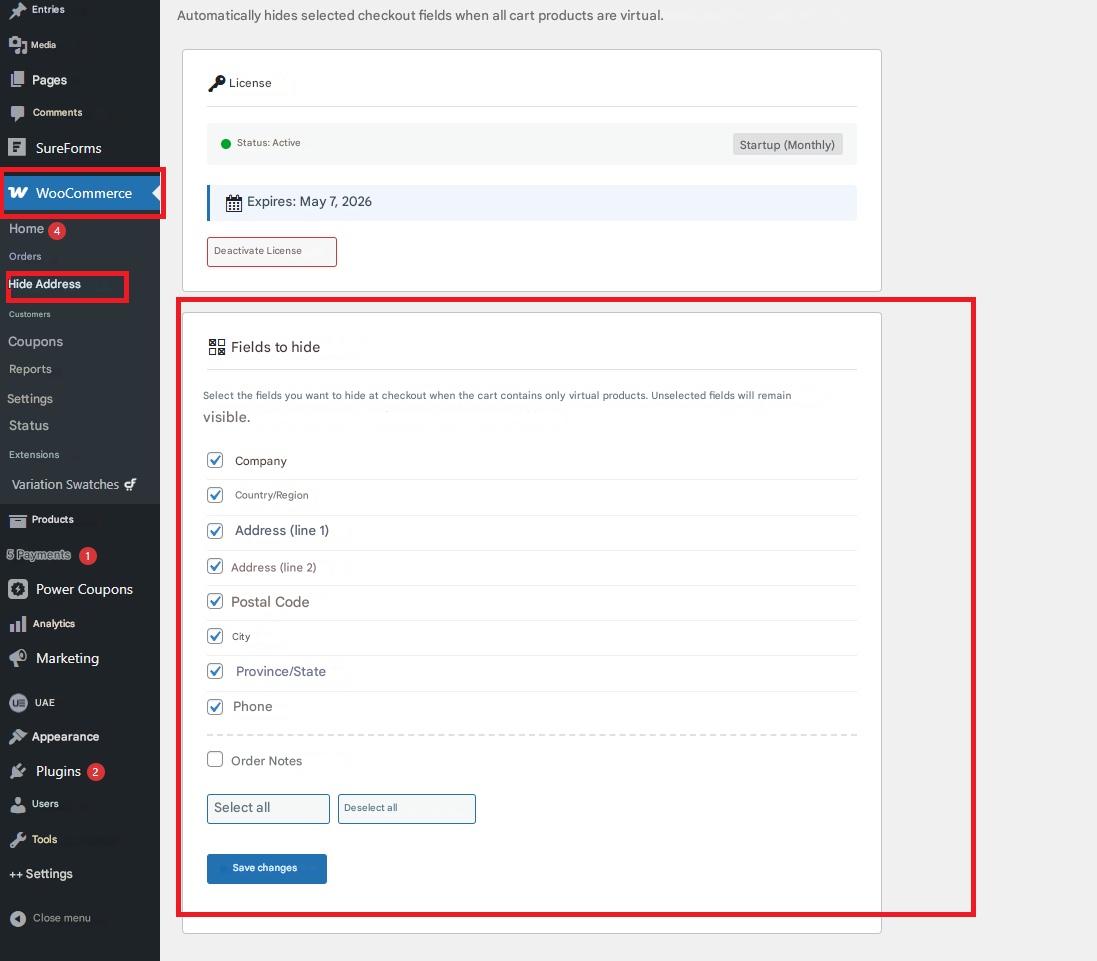
With this plugin, you can choose which fields to show or hide when a customer purchases virtual products, such as:
- Company.
- Country.
- Region.
- Address.
- Postal code.
- City, province.
- State.
- Phone number.
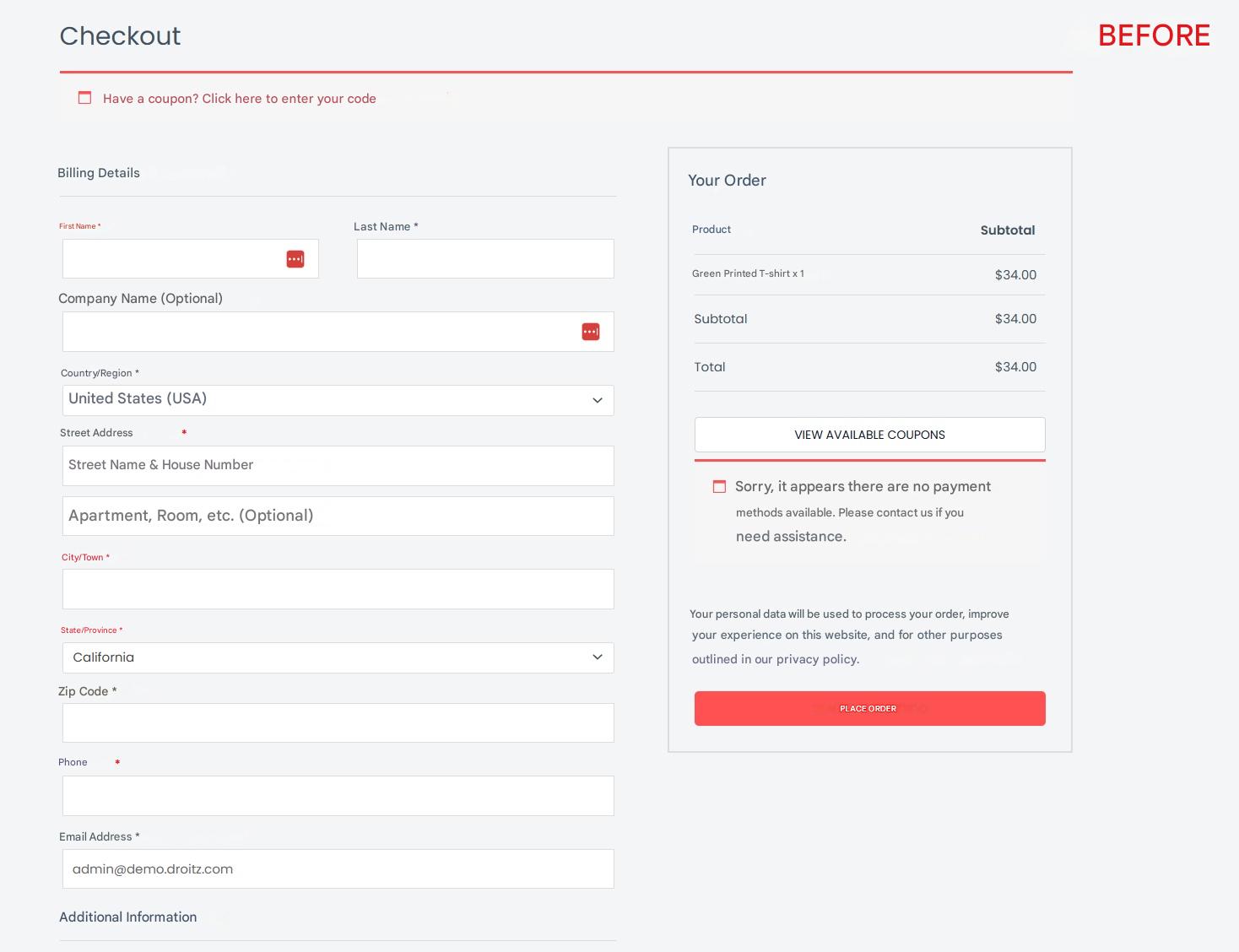
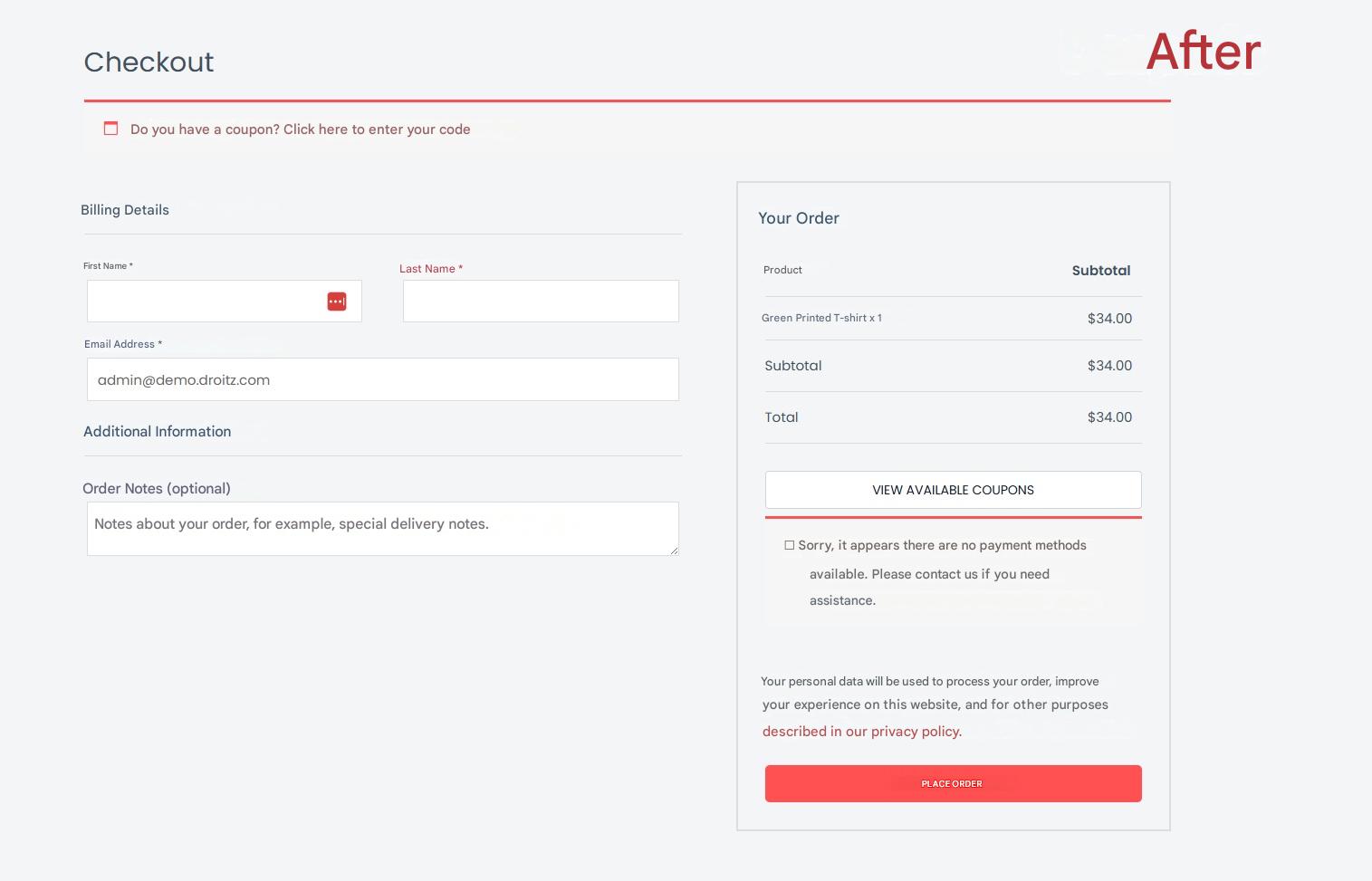
You only need to select the fields you don’t want to use and save the changes; they will automatically disappear from the checkout. This helps you simplify the purchasing process, reduce friction, and provide a faster, cleaner, and more user-friendly experience for your customers.
Installation
- Before installing the plugin, make sure you have WooCommerce installed and activated, as this plugin works within its environment.
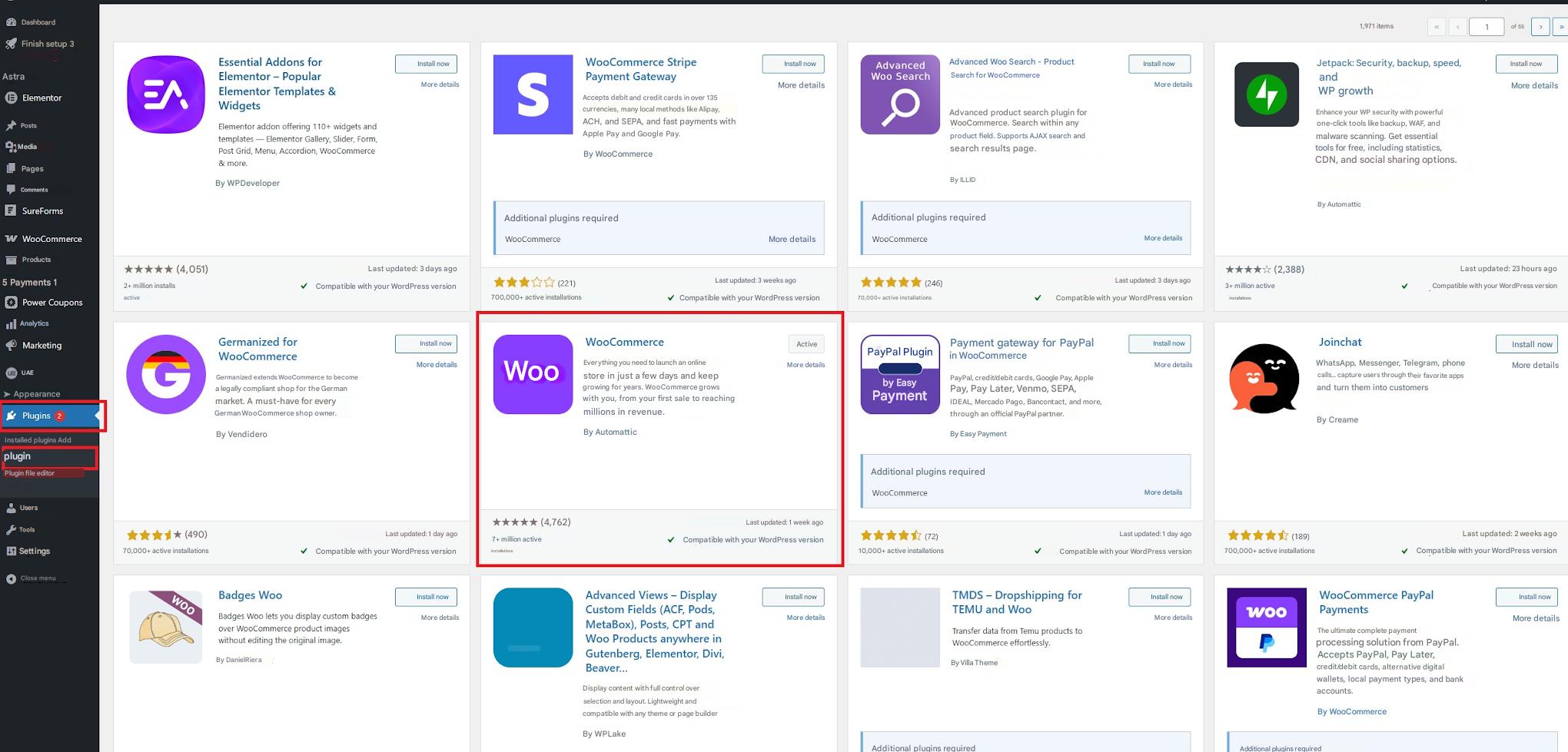
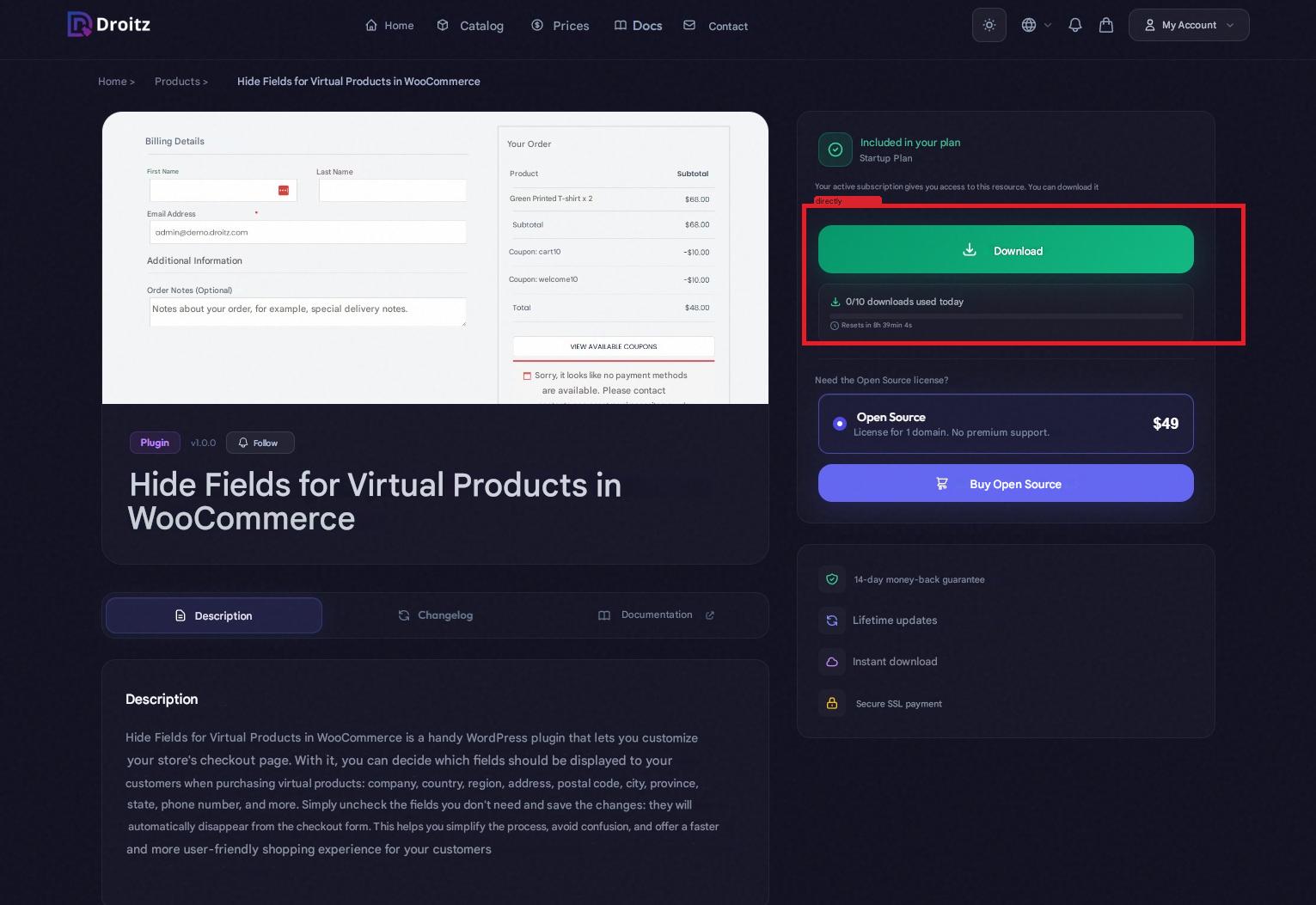
- Once you have purchased the license, download the plugin file in .zip format.
- In your WordPress dashboard, go to Plugins → Add New → Upload Plugin.
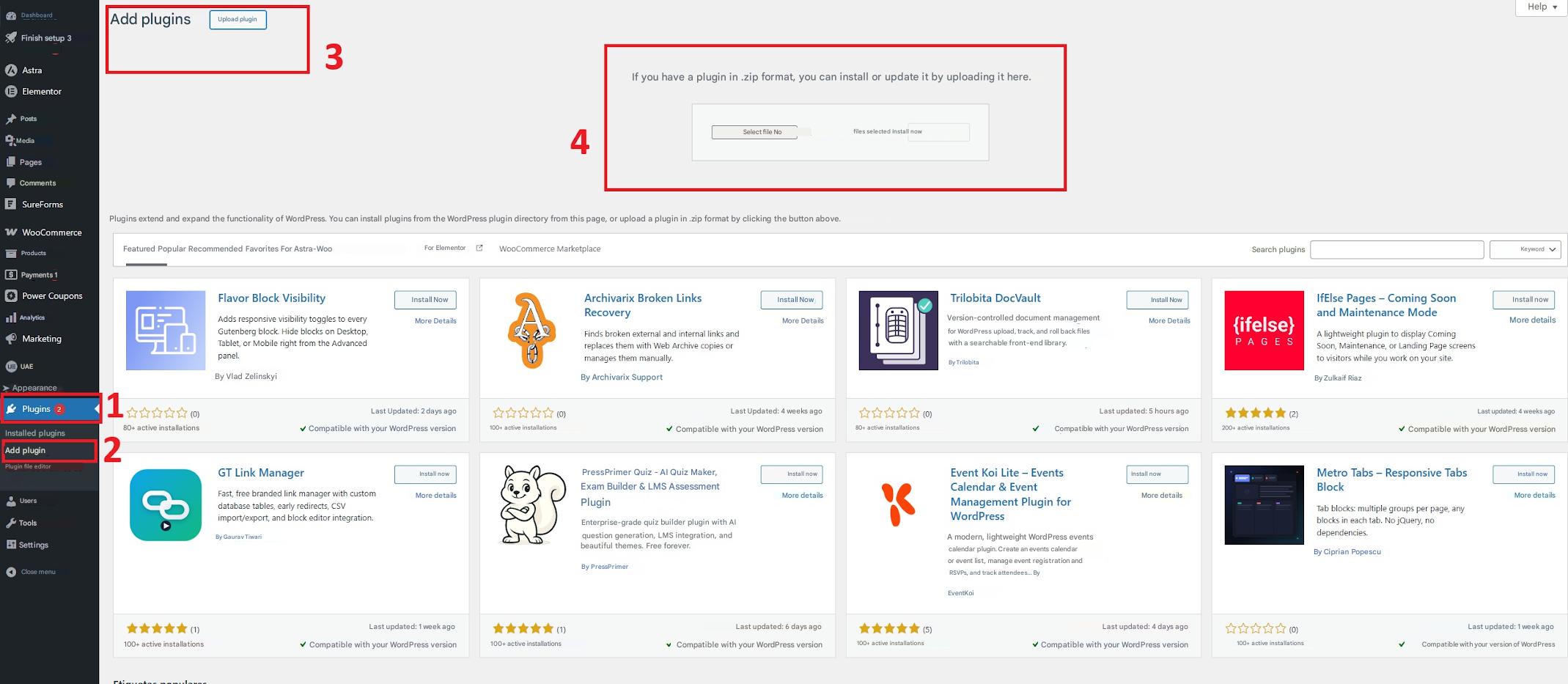
- Select the downloaded .zip file and click Install Now.
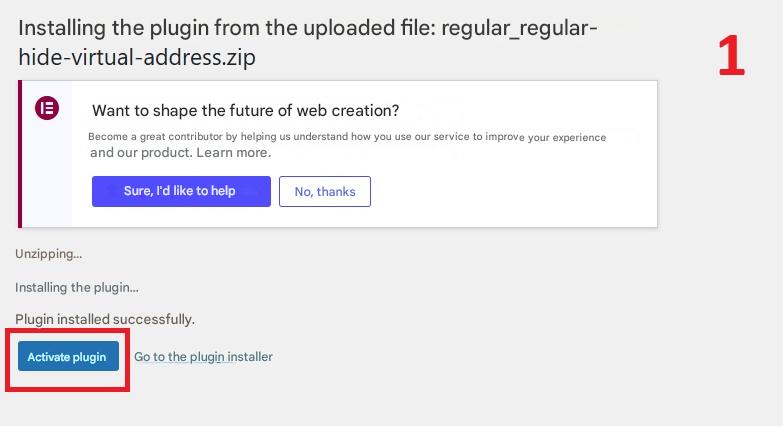
- After installation is complete, click Activate Plugin.
License Activation
- Go to WooCommerce → Hide Address in your WordPress dashboard.
- Click the provided link (droitz.com/dashboard) to access your user panel.
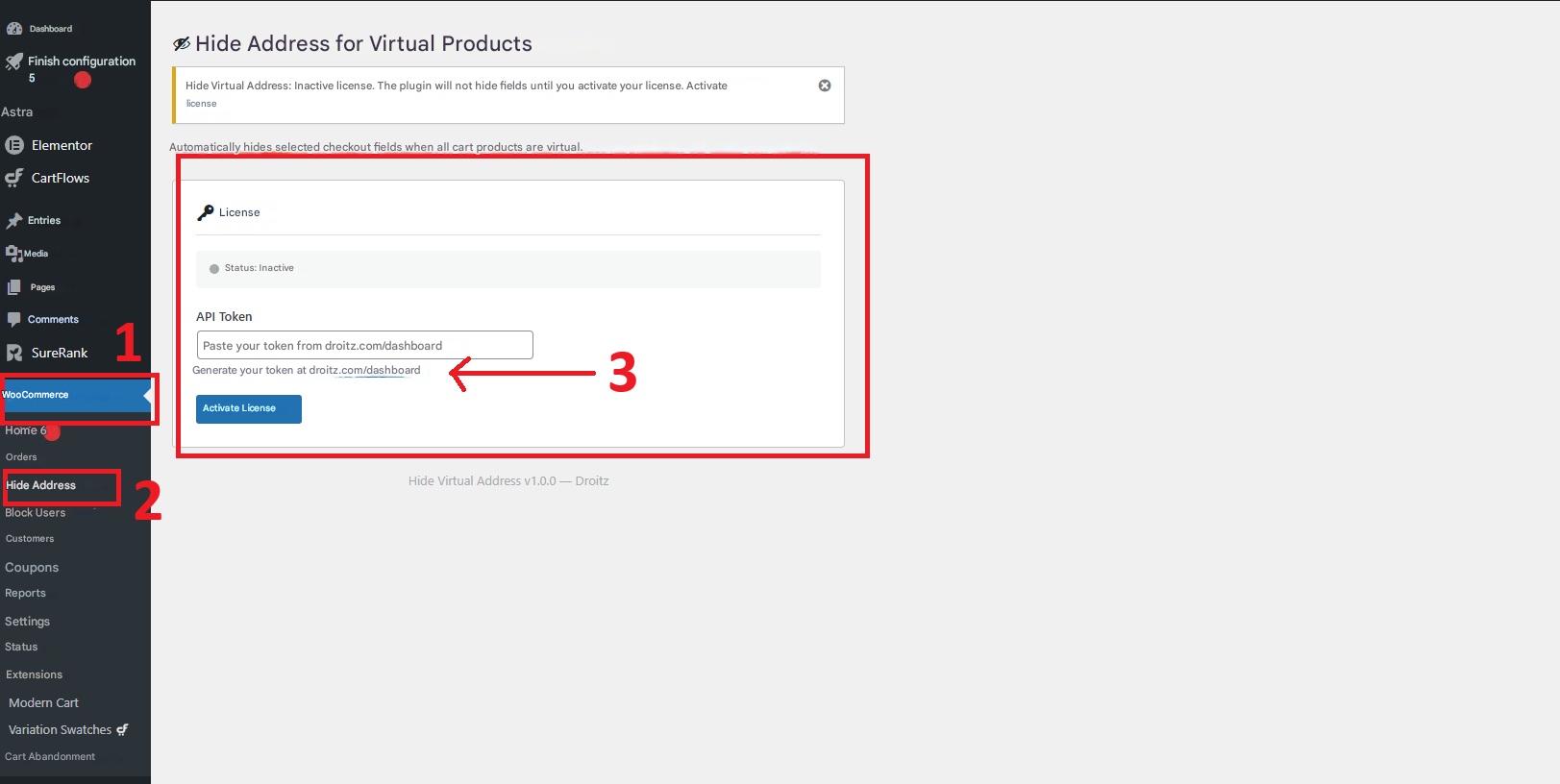
- In your dashboard, navigate to the Activations section and generate your API Token.
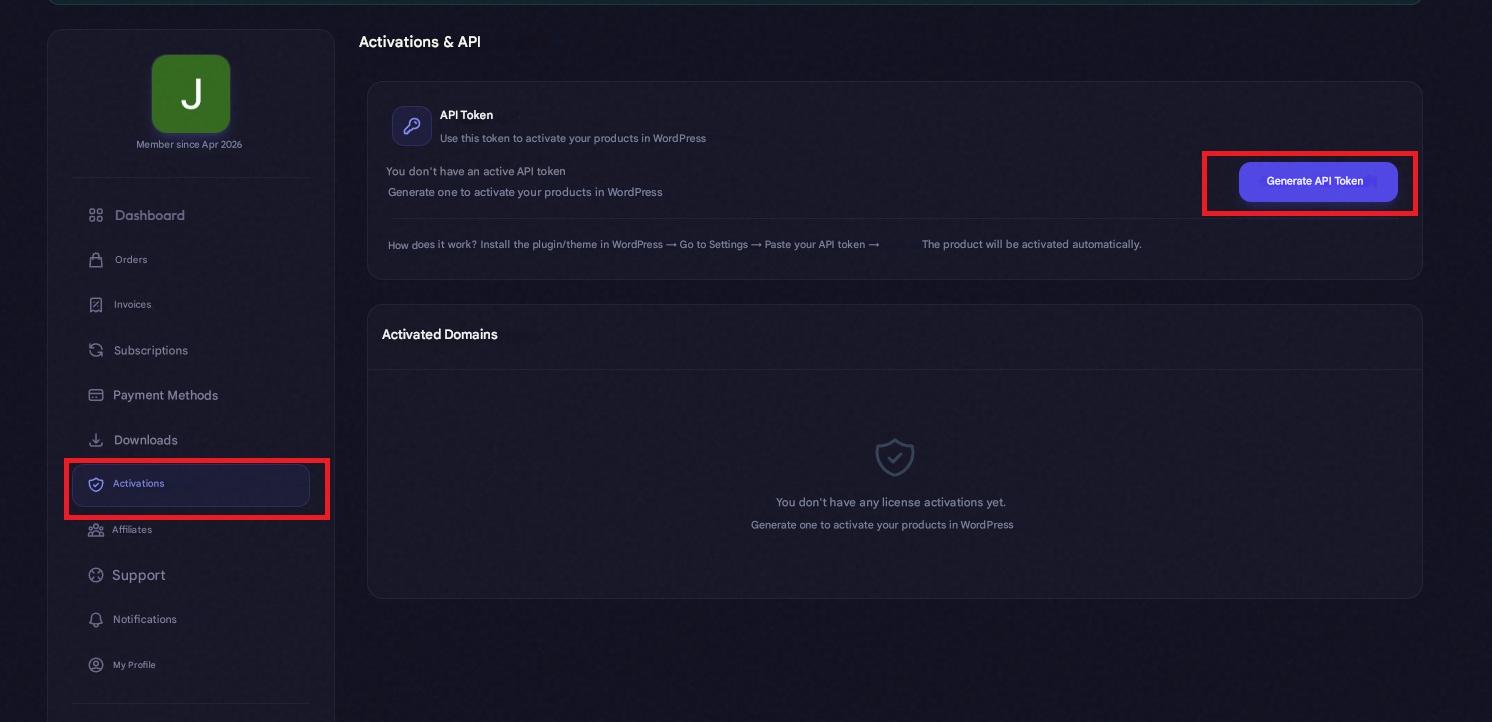
- Copy the generated token, return to WordPress, paste it into the corresponding field, and click Activate.
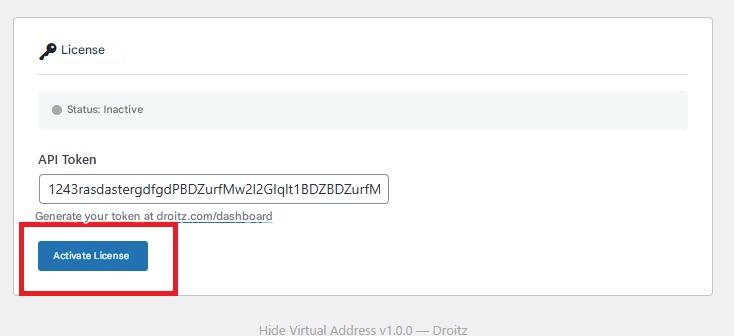
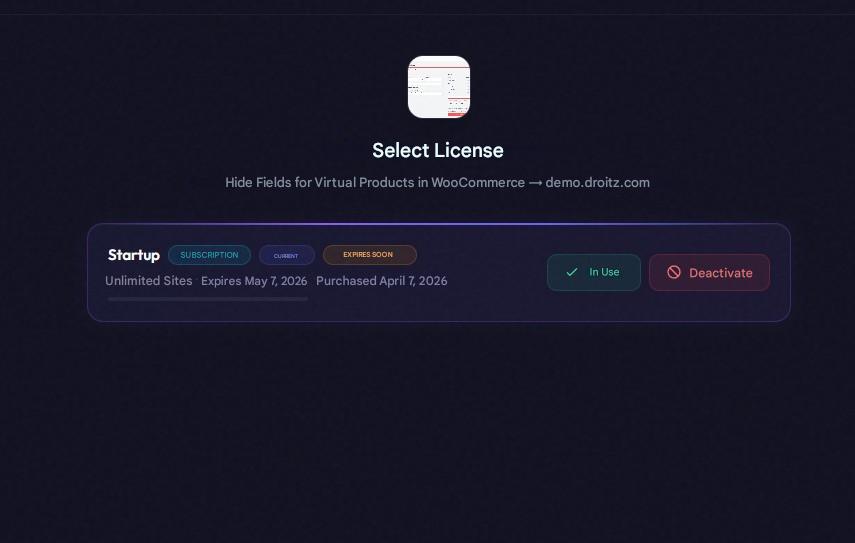
- Finally, select the license you purchased to complete the activation process.
How to Use the Plugin
- Go to Products in your WordPress dashboard.
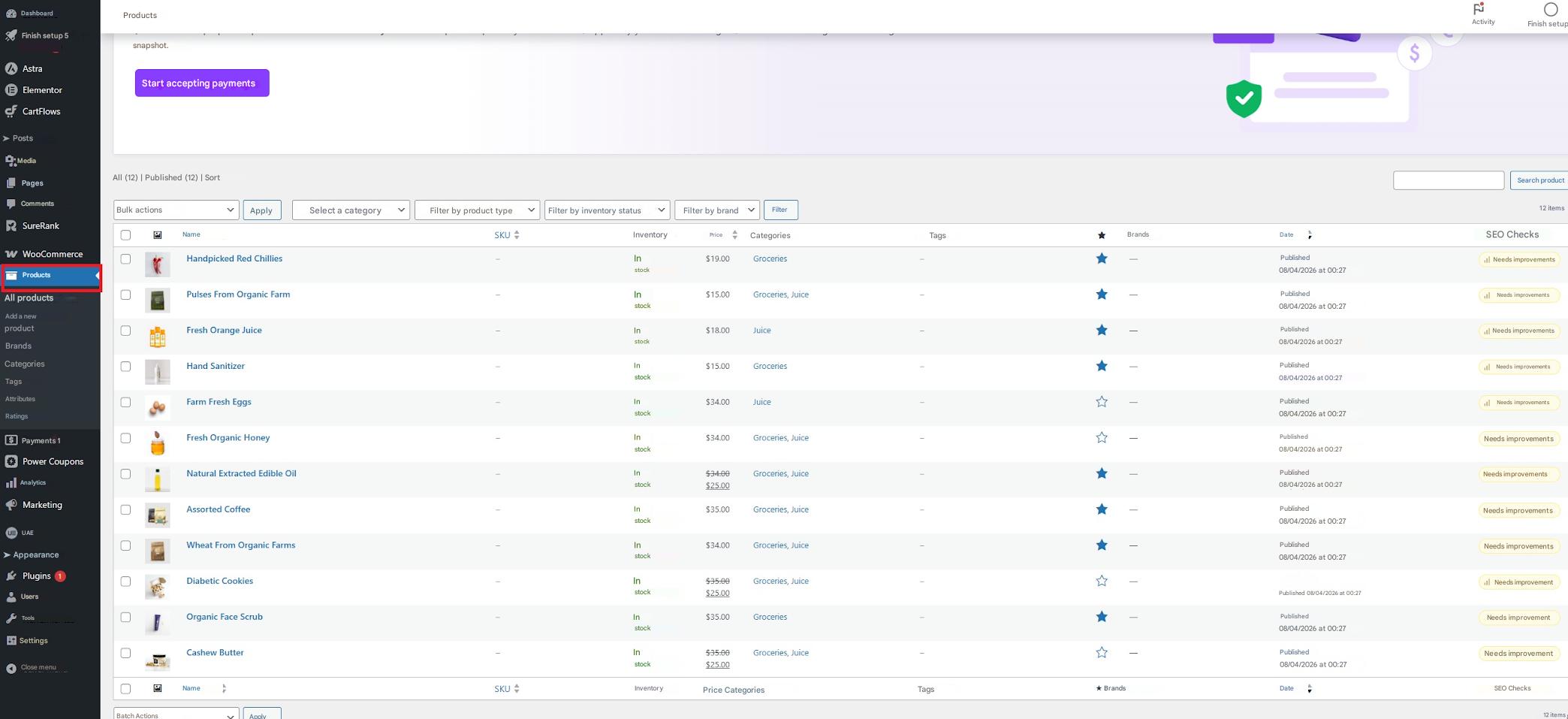
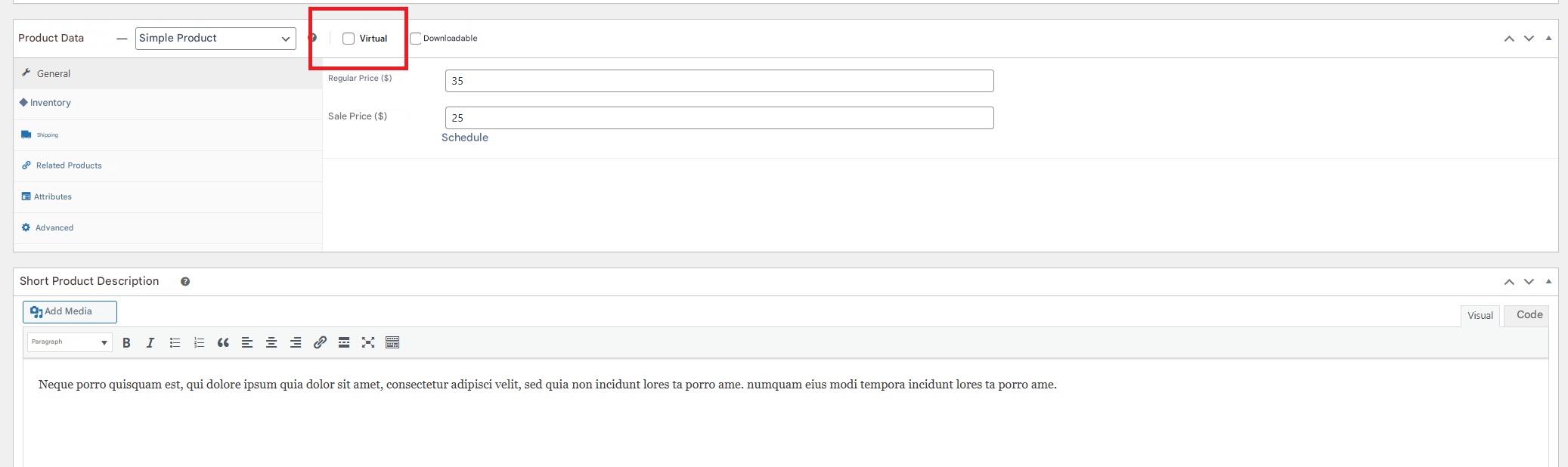
- Edit the product you want to configure and enable the “Virtual” option. This step is required, as the plugin only works with virtual products.
- Save the product.
- You can now choose which fields to hide at checkout by simply checking or unchecking the available options under WooCommerce → Hide Address.