Product Overview
Block Users in WooCommerce is a plugin designed to enhance your online store’s security by allowing you to easily restrict access to unwanted users.
With this plugin, you can:
- Block users by email address
- Block access by IP address
- Block users by phone number
Managing who can purchase from your store has never been easier: simply add the data you want to block, save the changes, and the system will handle the rest. Prevent fraud, unwanted orders, and problematic behavior with a reliable and efficient solution.
Installation
Before getting started, make sure you have WooCommerce installed and activated, as this plugin works within its environment.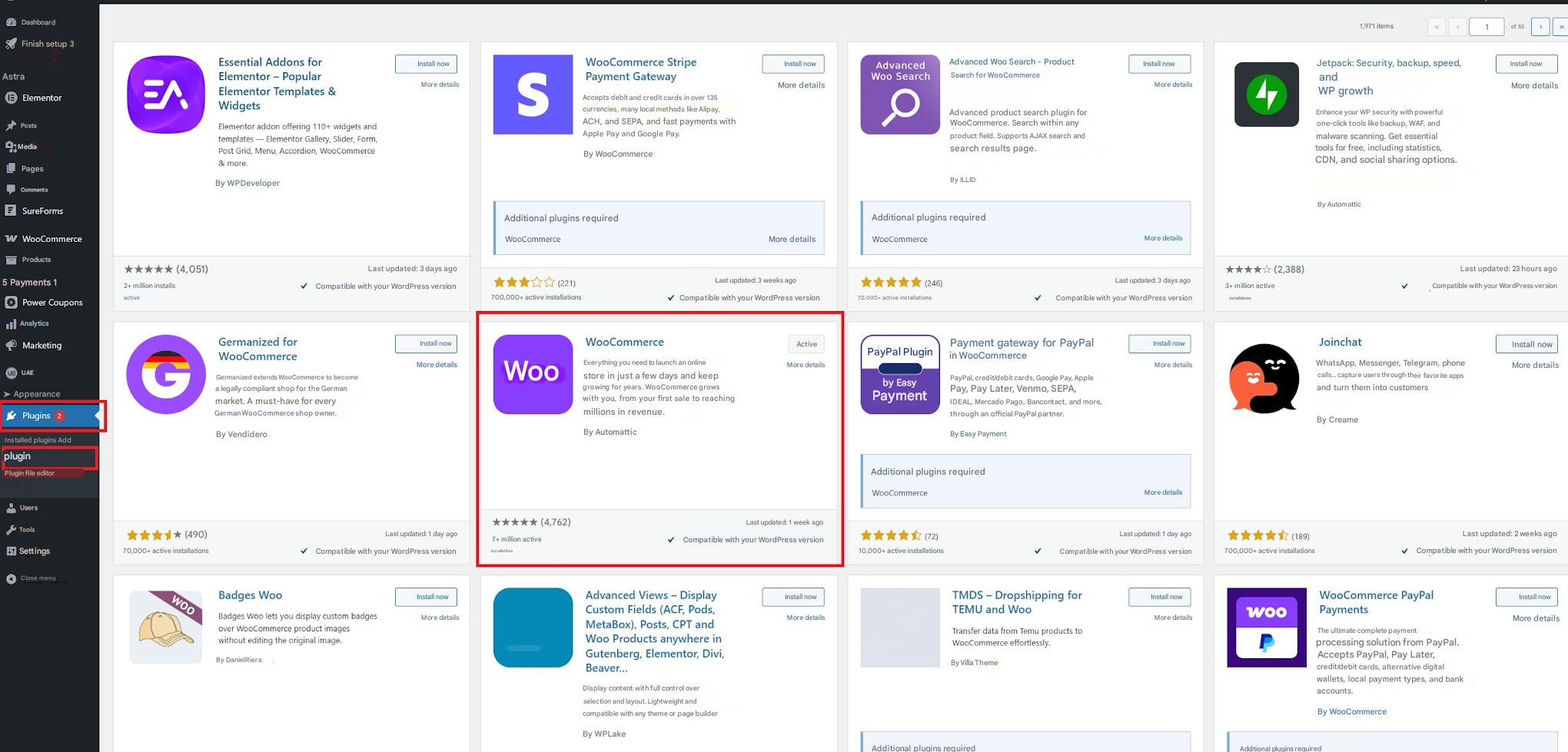
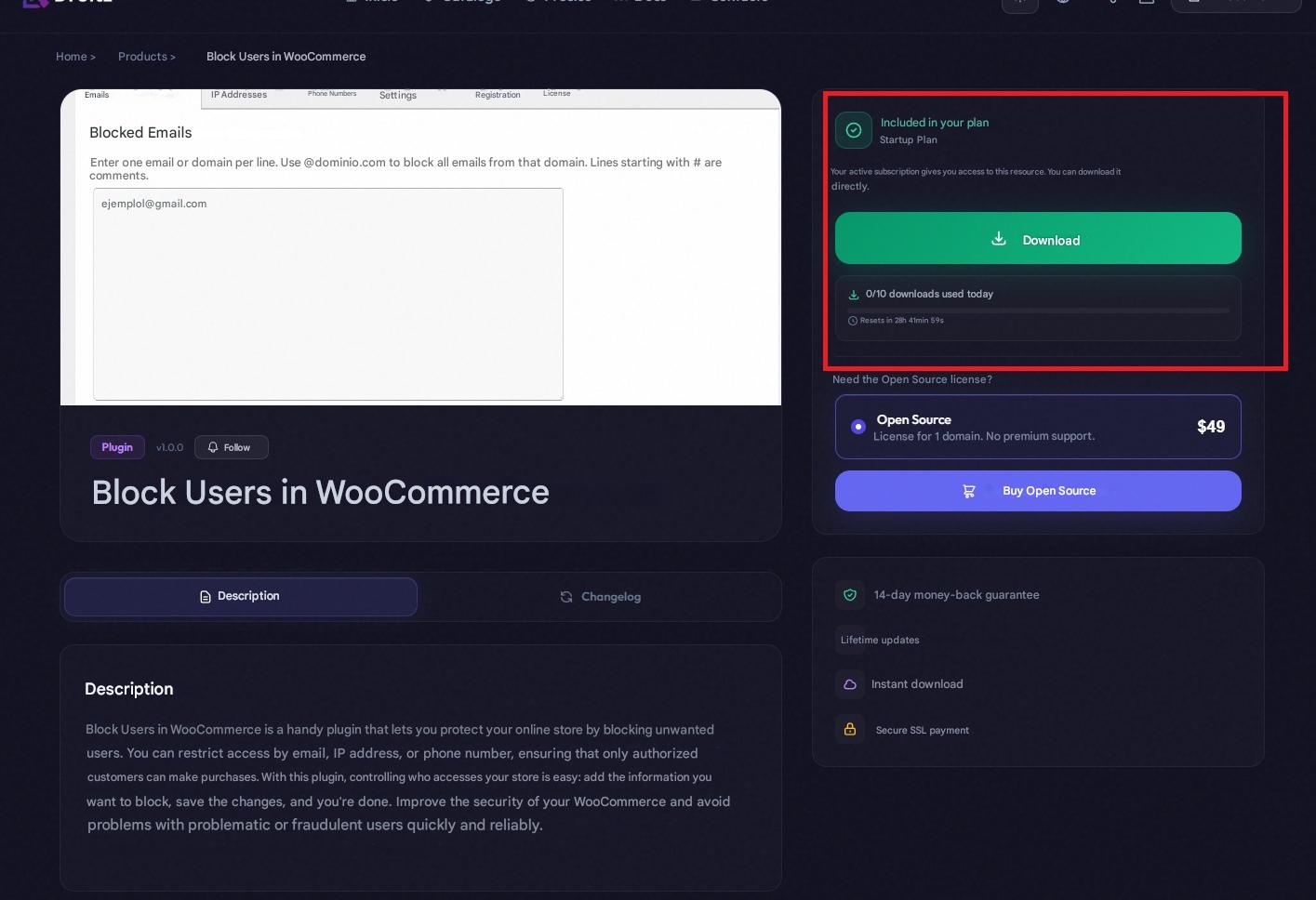
- Download the plugin file in .zip format after purchasing the license.
- In your WordPress dashboard, go to Plugins → Add New → Upload Plugin.
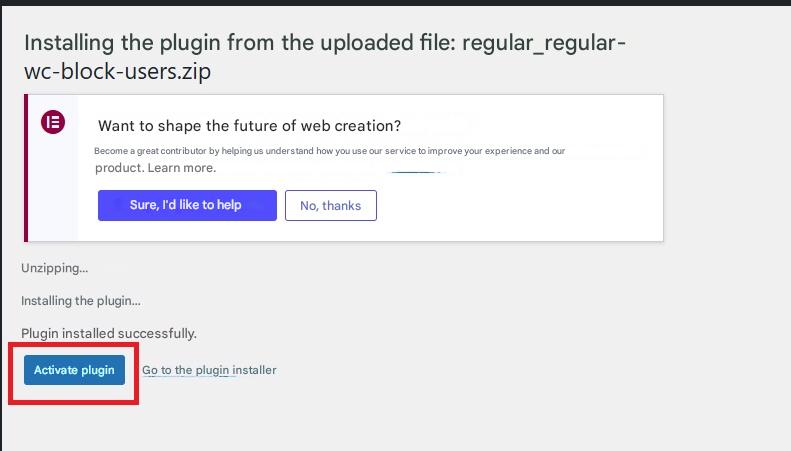
- Select the .zip file and click Install Now.
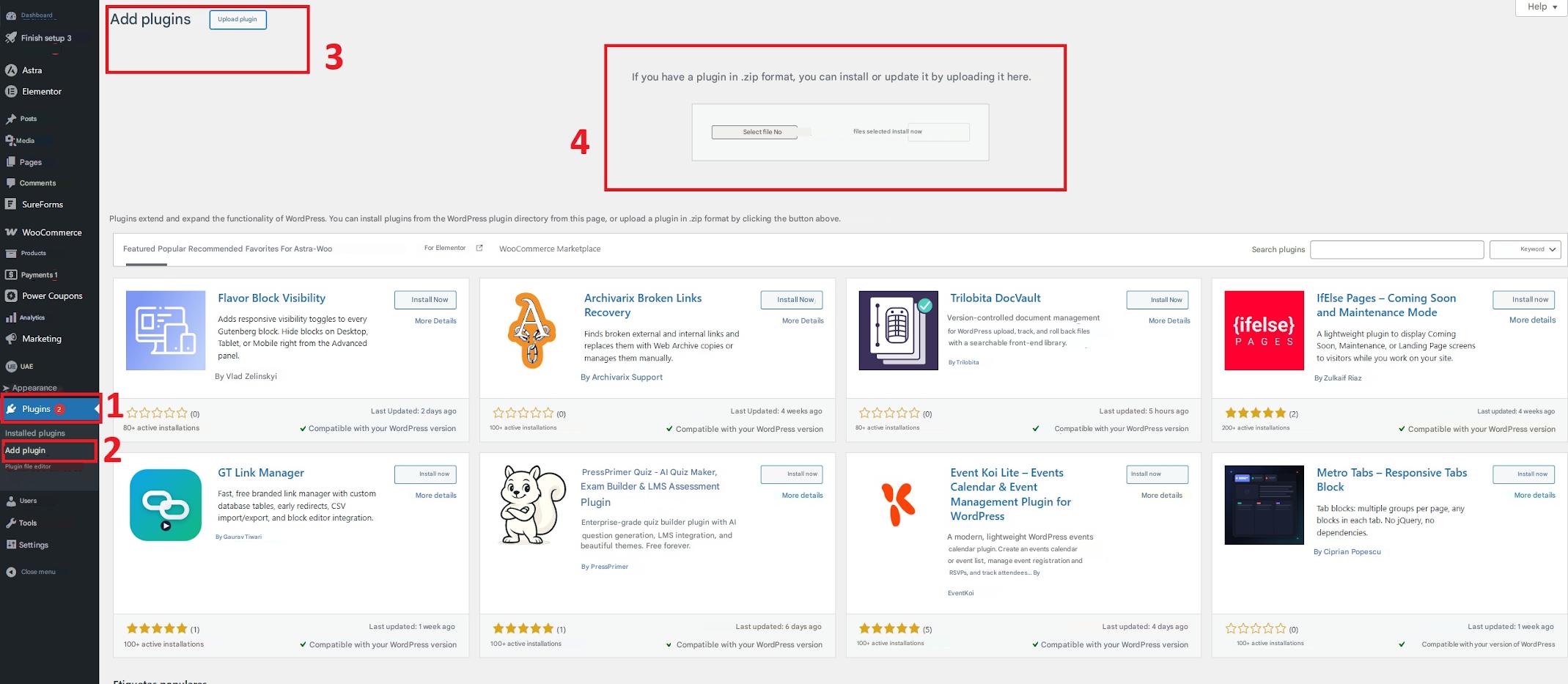
- Once installed, click Activate Plugin.
License Activation
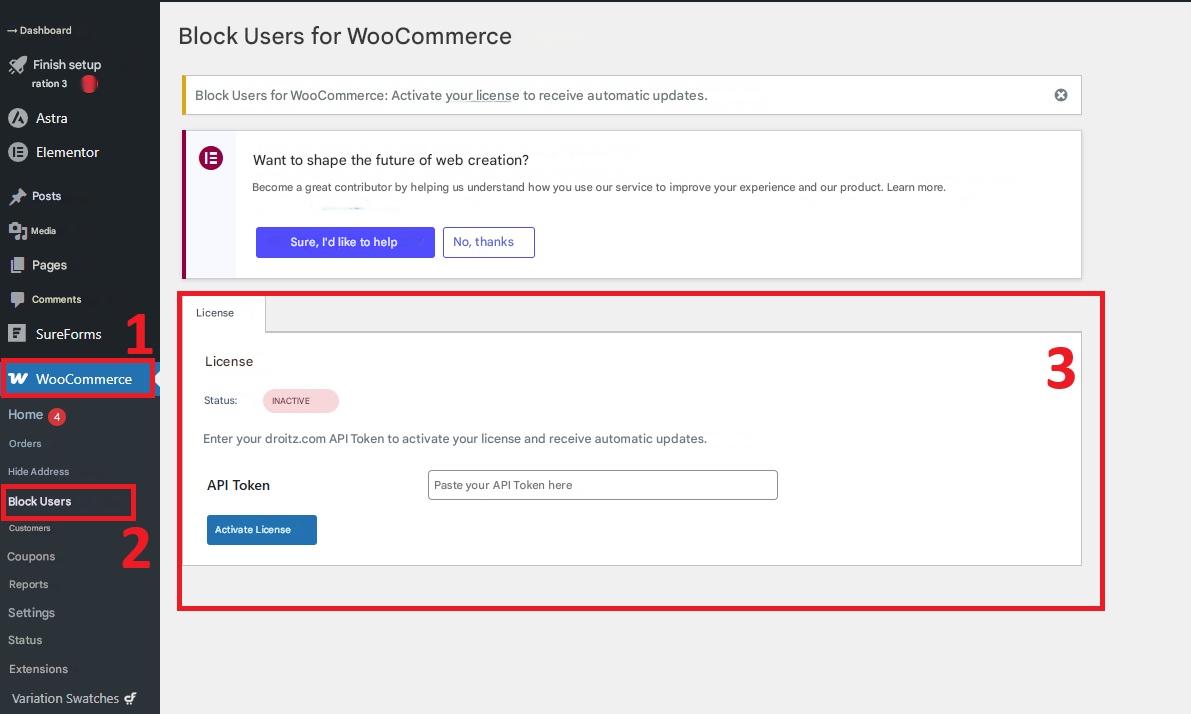
- Go to WooCommerce → Block Users in your WordPress dashboard.
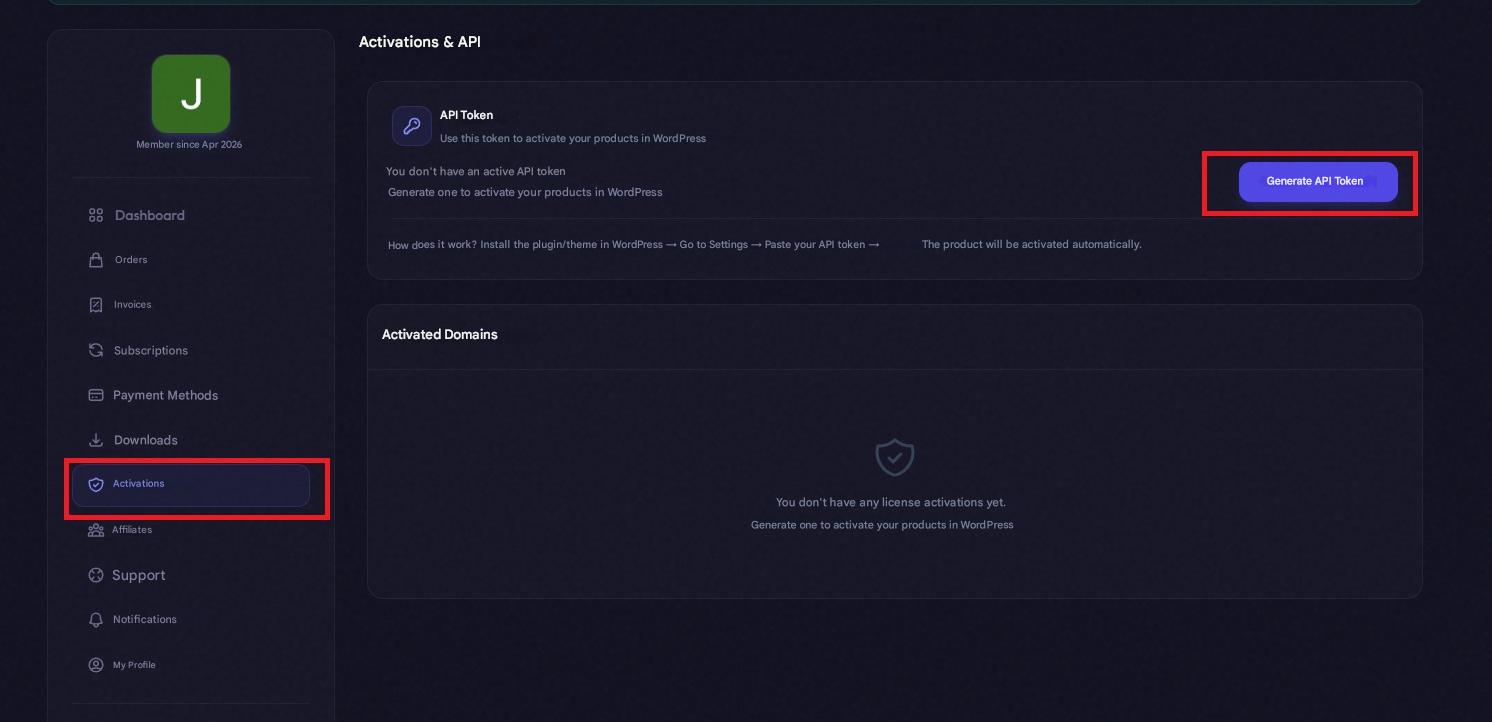
- Access your user dashboard at: droitz.com/dashboard.
- Navigate to the Activations section and generate your API Token.
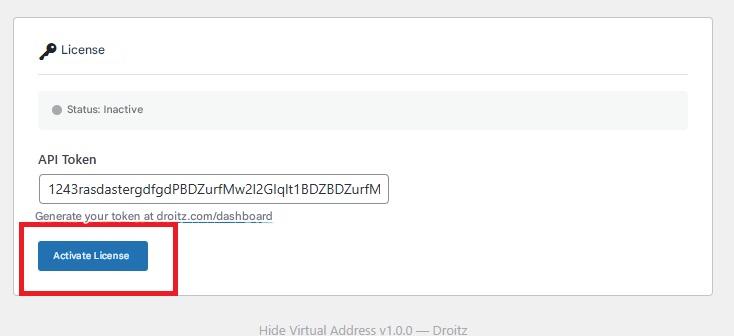
- Copy the token and paste it into the corresponding field in WordPress.
- Click Activate.
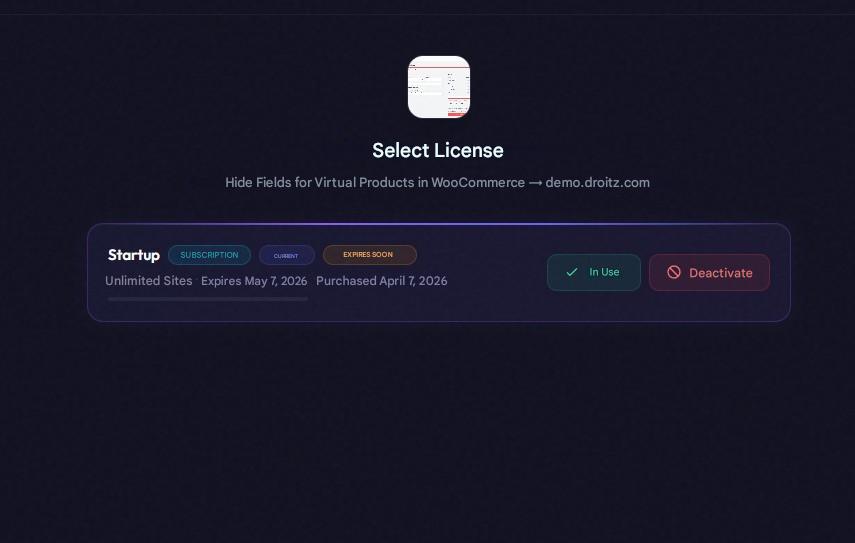
- Select your purchased license to complete the process.
How to Use the Plugin
Go to WooCommerce → Block Users to access all configuration options.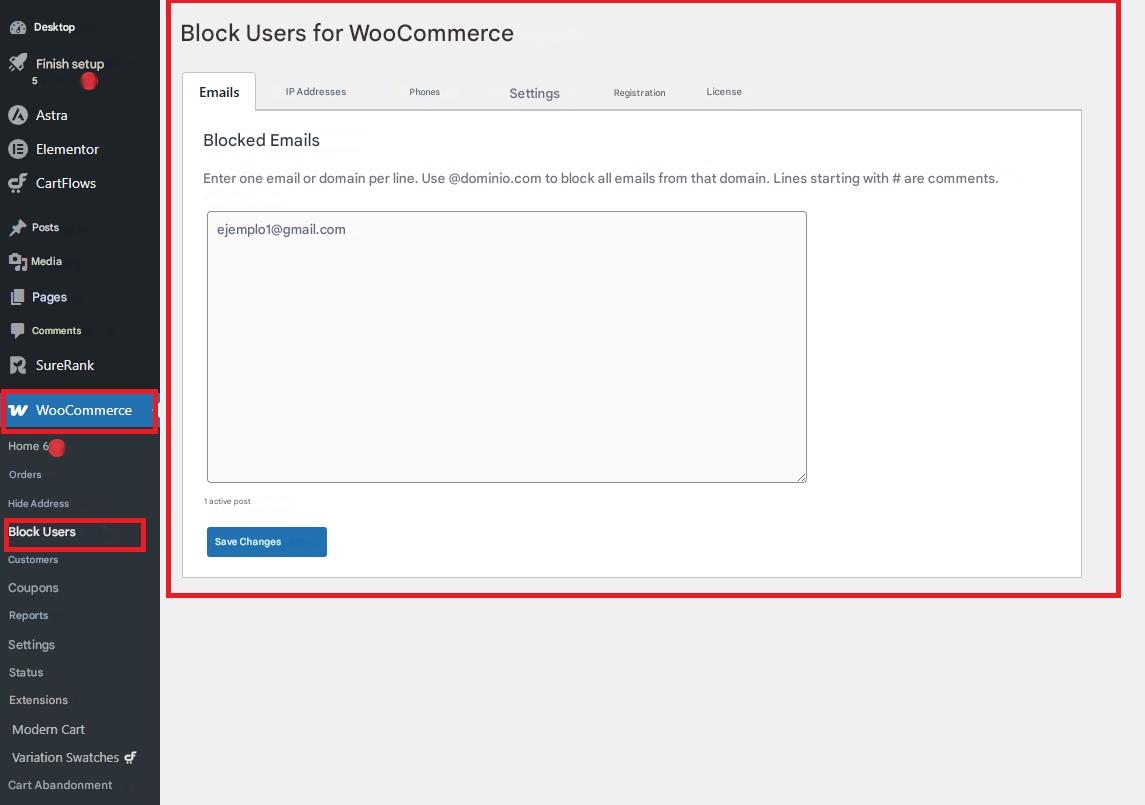
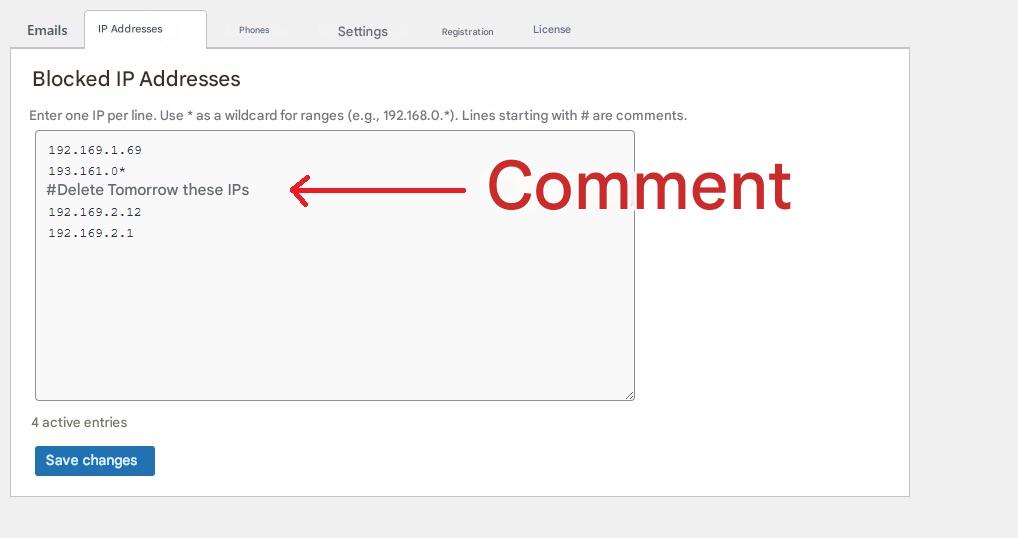
Note: In all blocking fields, you can use
#at the beginning of a line to add comments or internal notes. These lines will be ignored by the system.
Block Users by Email
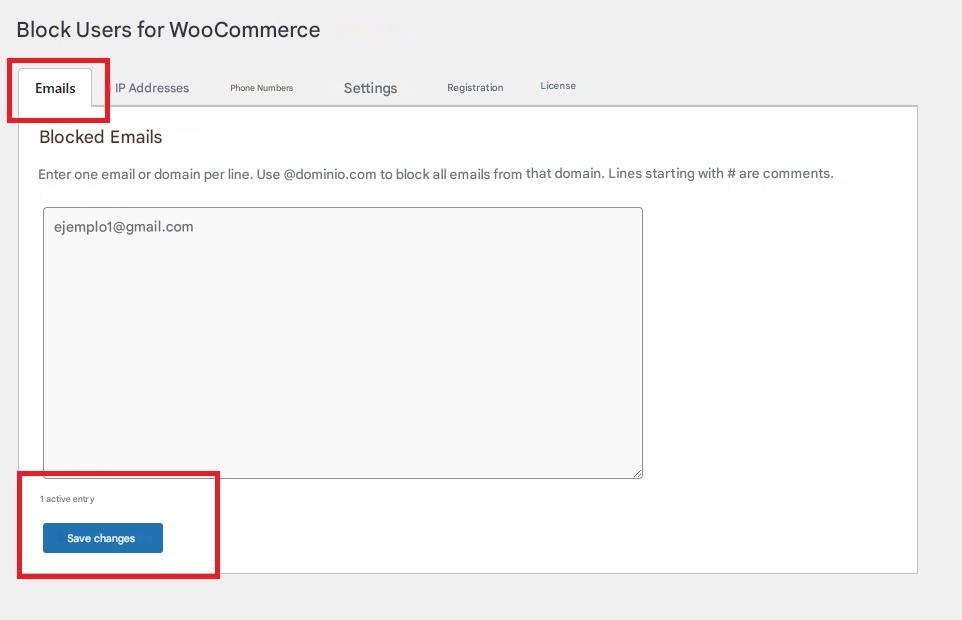
Allows you to restrict users based on their email address.
- Add one email per line.
-
To block an entire domain, use:
@example.com - Save changes to apply the block.
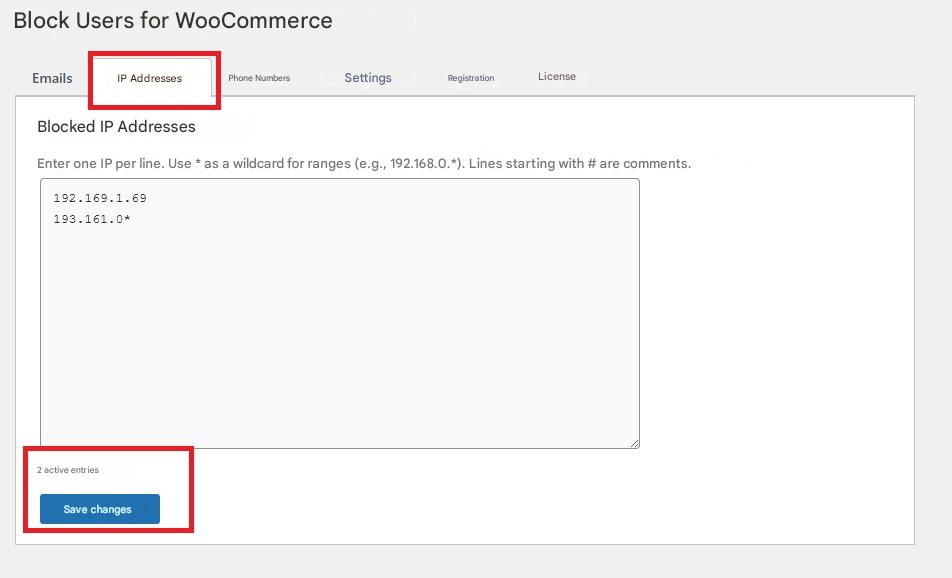
Block Users by IP Address
Blocks access based on IP addresses.
- Add one IP per line.
-
You can use the wildcard
*to block IP ranges: 192.168.0.*This will block all IPs starting with that pattern.
- Save changes to apply the block.
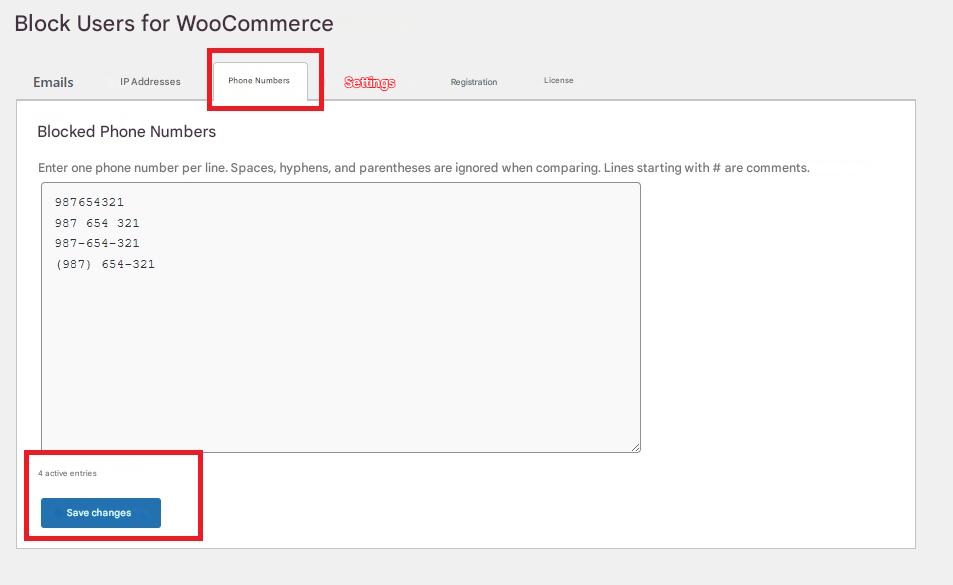
Block Users by Phone Number
Allows you to block users by phone number.
- Add one number per line.
- You can include dashes, spaces, or parentheses; the system will normalize them automatically.
- Save changes to apply the block.
Settings
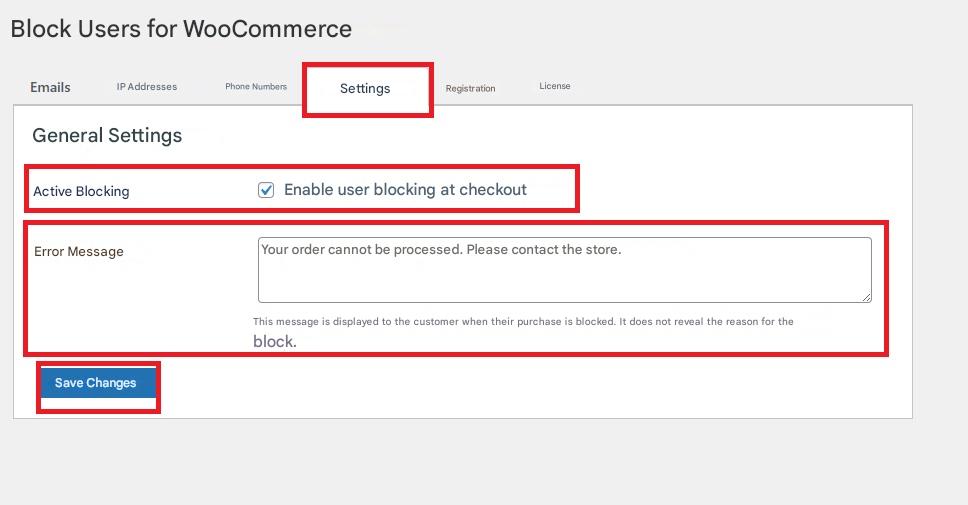
The plugin includes two main configuration options:
- Enable Blocking:
Turns the blocking system on or off during the checkout process. When enabled, all configured rules will be applied. - Error Message:
The message displayed to customers when their purchase is blocked. It does not reveal the reason for the block, helping maintain security. - Save the changes for them to take effect.
Logs
In this section, you can view the history of all blocked entries, including emails, IP addresses, and phone numbers.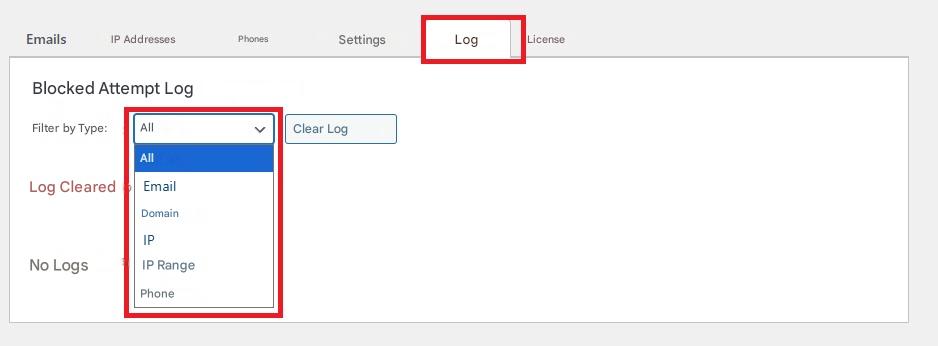
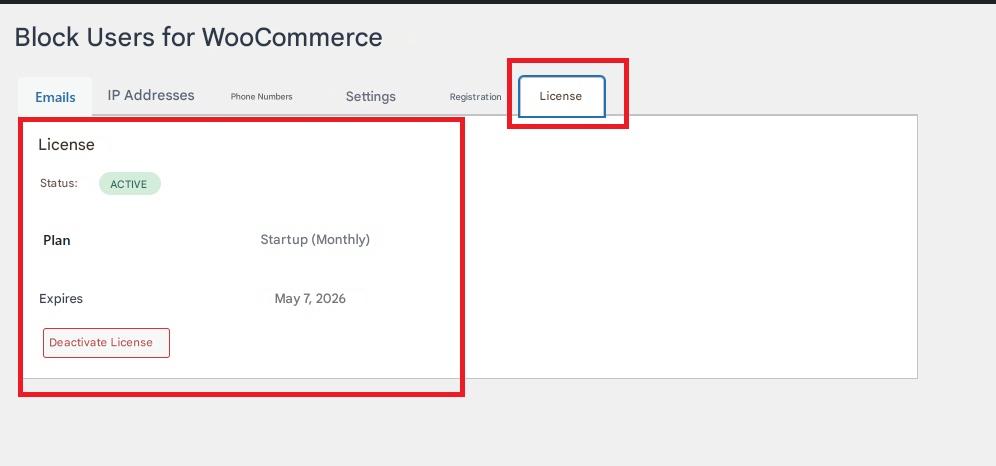
License
Here you can check all details related to your license:
- Status (active or inactive)
- Plan type
- Expiration date
- Option to deactivate the license